$ docker run -d \
  --name=wg-easy \
  -e WG_HOST=🚨YOUR_SERVER_IP \
  -e PASSWORD=🚨YOUR_ADMIN_PASSWORD \
  -v ~/.wg-easy:/etc/wireguard \
  -p 51820:51820/udp \
  -p 51821:51821/tcp \
  --cap-add=NET_ADMIN \
  --cap-add=SYS_MODULE \
  --sysctl="net.ipv4.conf.all.src_valid_mark=1" \
  --sysctl="net.ipv4.ip_forward=1" \
  --restart unless-stopped \
  weejewel/wg-easy
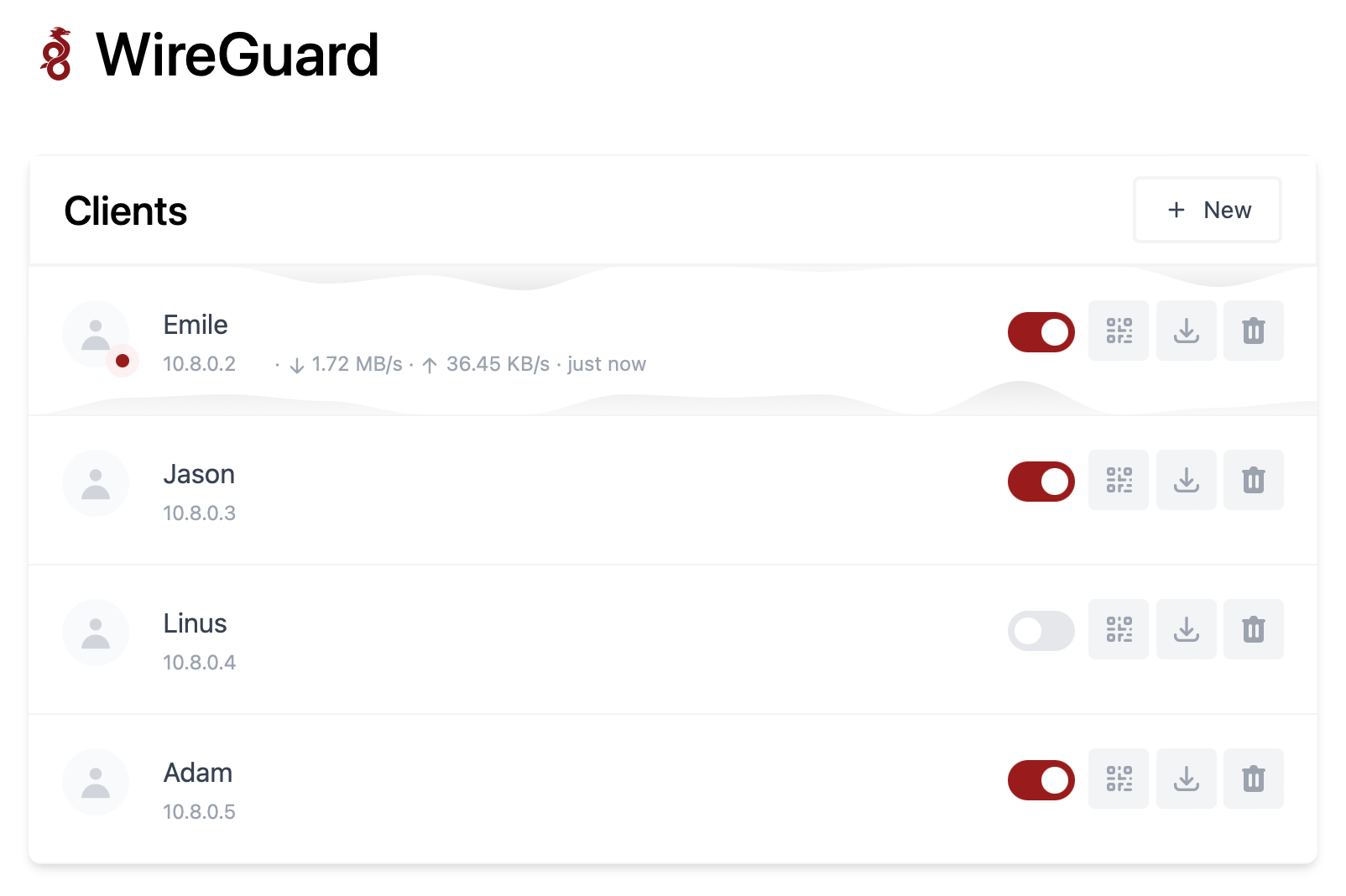
> 💡 Replace `YOUR_SERVER_IP` with your WAN IP, or a Dynamic DNS hostname. > > 💡 Replace `YOUR_ADMIN_PASSWORD` with a password to log in on the Web UI. The Web UI will now be available on `http://0.0.0.0:51821`. > 💡 Your configuration files will be saved in `~/.wg-easy` ### 3. Sponsor Are you enjoying this project? [Buy me a beer!](https://github.com/sponsors/WeeJeWel) 🍻 ## Options These options can be configured by setting environment variables using `-e KEY="VALUE"` in the `docker run` command. | Env | Default | Example | Description | | - | - | - | - | | `PASSWORD` | - | `foobar123` | When set, requires a password when logging in to the Web UI. | | `WG_HOST` | - | `vpn.myserver.com` | The public hostname of your VPN server. | | `WG_PORT` | `51820` | `12345` | The public UDP port of your VPN server. WireGuard will always listen on `51820` inside the Docker container. | | `WG_PERSISTENT_KEEPALIVE` | `0` | `25` | Value in seconds to keep the "connection" open. | | `WG_DEFAULT_ADDRESS` | `10.8.0.x` | `10.6.0.x` | Clients IP address range. | | `WG_DEFAULT_DNS` | `1.1.1.1` | `8.8.8.8, 8.8.4.4` | DNS server clients will use. | | `WG_ALLOWED_IPS` | `0.0.0.0/0, ::/0` | `192.168.15.0/24, 10.0.1.0/24` | Allowed IPs clients will use. | | `METRICS_ENABLED` | `false` | `true` | When set, metrics in Prometheus format will be exposed. | | `METRICS_USER` | - | `prometheus` | When set, HTTP Basic authorization with this user will be required when accessing metrics. | | `METRICS_PASSWORD` | - | `password` | When set, HTTP Basic authorization will with this password be required when accessing metrics. | > If you change `WG_PORT`, make sure to also change the exposed port. # Updating To update to the latest version, simply run: ```bash docker stop wg-easy docker rm wg-easy docker pull weejewel/wg-easy ``` And then run the `docker run -d \ ...` command above again. # Exposed metrics When metrics are enabled `wg-easy` will expose metrics in Prometheus format under `/metrics` path. HTTP Basic autorization is supported for metrics endpoint. Node process metrics specific to `wg-easy` are exported with `wg_easy_` prefix. WireGuard metrics are exported with `wireguard_` prefix. WireGuard metrics are inspired and compatible with metrics collected by [prometheus_wireguard_exporter](https://github.com/MindFlavor/prometheus_wireguard_exporter). Grafana dashboards created for [prometheus_wireguard_exporter](https://github.com/MindFlavor/prometheus_wireguard_exporter) works with metrics exposed by `wg-easy`. ## Example WireGuard metrics ``` # HELP wireguard_sent_bytes_total Bytes sent to the peer # TYPE wireguard_sent_bytes_total counter wireguard_sent_bytes_total{interface="wg0",public_key="QpPNe62/SuCUSEkBTu3r2U0ihe2UrDspxUUgk195zmc=",allowed_ips="10.112.112.2/32",friendly_name="Test User 1",enabled="true"} 0 wireguard_sent_bytes_total{interface="wg0",public_key="2AyHc7bRYJUJdx9UG87QmZDolj8xh6CORgP0PA28JT4=",allowed_ips="10.112.112.3/32",friendly_name="Test User 2",enabled="true"} 95788240 # HELP wireguard_received_bytes_total Bytes received from the peer # TYPE wireguard_received_bytes_total counter wireguard_received_bytes_total{interface="wg0",public_key="QpPNe62/SuCUSEkBTu3r2U0ihe2UrDspxUUgk195zmc=",allowed_ips="10.112.112.2/32",friendly_name="Test User 1",enabled="true"} 0 wireguard_received_bytes_total{interface="wg0",public_key="2AyHc7bRYJUJdx9UG87QmZDolj8xh6CORgP0PA28JT4=",allowed_ips="10.112.112.3/32",friendly_name="Test User 2",enabled="true"} 54389700 # HELP wireguard_latest_handshake_seconds Seconds from the last handshake # TYPE wireguard_latest_handshake_seconds gauge wireguard_latest_handshake_seconds{interface="wg0",public_key="QpPNe62/SuCUSEkBTu3r2U0ihe2UrDspxUUgk195zmc=",allowed_ips="10.112.112.2/32",friendly_name="Test User 1",enabled="true"} 0 wireguard_latest_handshake_seconds{interface="wg0",public_key="2AyHc7bRYJUJdx9UG87QmZDolj8xh6CORgP0PA28JT4=",allowed_ips="10.112.112.3/32",friendly_name="Test User 2",enabled="true"} 1633967910 # HELP wireguard_persistent_keepalive_seconds Seconds between each persistent keepalive packet # TYPE wireguard_persistent_keepalive_seconds gauge wireguard_persistent_keepalive_seconds{interface="wg0",public_key="QpPNe62/SuCUSEkBTu3r2U0ihe2UrDspxUUgk195zmc=",allowed_ips="10.112.112.2/32",friendly_name="Test User 1",enabled="true"} 0 wireguard_persistent_keepalive_seconds{interface="wg0",public_key="2AyHc7bRYJUJdx9UG87QmZDolj8xh6CORgP0PA28JT4=",allowed_ips="10.112.112.3/32",friendly_name="Test User 2",enabled="true"} 0 ```