
 Dan Ditomaso
704d06cfe7
Dan Ditomaso
704d06cfe7
|
11 months ago | |
|---|---|---|
| .. | ||
| infra | 11 months ago | |
| public | 11 months ago | |
| src | 11 months ago | |
| .npmrc | 12 months ago | |
| CONTRIBUTING_I18N_DEVELOPER_GUIDE.md | 12 months ago | |
| CONTRIBUTING_TRANSLATIONS.md | 12 months ago | |
| README.md | 11 months ago | |
| biome.json | 11 months ago | |
| crowdin.yml | 12 months ago | |
| index.html | 11 months ago | |
| package.json | 11 months ago | |
| tsconfig.json | 11 months ago | |
| vercel.json | 11 months ago | |
| vite-env.d.ts | 11 months ago | |
| vite.config.ts | 11 months ago | |
| vitest.config.ts | 11 months ago | |
README.md
Meshtastic Web



Overview
Official Meshtastic web interface, that can be hosted or served from a node
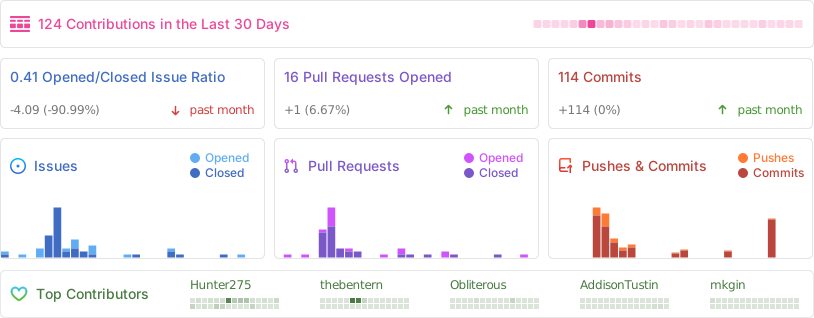
Stats
Progress Web App Support (PWA)
Meshtastic Web Client now includes Progressive Web App (PWA) functionality, allowing users to:
- Install the app on desktop and mobile devices
- Access the interface offline
- Receive updates automatically
- Experience faster load times with caching
To install as a PWA:
- On desktop: Look for the install icon in your browser's address bar
- On mobile: Use "Add to Home Screen" option in your browser menu
PWA functionality works with both the hosted version and self-hosted instances.
Self-host
The client can be self hosted using the precompiled container images with an OCI compatible runtime such as Docker or Podman. The base image used is Nginx 1.27
# With Docker
docker run -d -p 8080:8080 --restart always --name Meshtastic-Web ghcr.io/meshtastic/web

#With Podman
podman run -d -p 8080:8080 --restart always --name Meshtastic-Web ghcr.io/meshtastic/web
Release Schedule
Our release process follows these guidelines:
- Versioning: We use Semantic Versioning (
Major.Minor.Patch). - Stable Releases: Published around the beginning of each month (e.g.,
v2.3.4). - Pre-releases: A pre-release is typically issued mid-month for testing and early adoption.
- Nightly Builds: An experimental Docker image containing the latest
cutting-edge features and fixes is automatically built nightly from the
mainbranch.
Nightly Builds
# With Docker
docker run -d -p 8080:8080 --restart always --name Meshtastic-Web ghcr.io/meshtastic/web:nightly
#With Podman
podman run -d -p 8080:8080 --restart always --name Meshtastic-Web ghcr.io/meshtastic/web:nightly
[!WARNING]
- Nightly builds represent the latest development state and may contain breaking changes
- These builds undergo automated testing but may be less stable than tagged release versions
- Not recommended for production environments unless you are actively testing new features
- No guarantee of backward compatibility between nightly builds
Version Information
Each nightly build is tagged with:
- The nightly tag for the latest build
- A specific SHA for build reproducibility
Feedback
If you encounter any issues with nightly builds, please report them in our issues tracker. Your feedback helps improve the stability of future releases
Development & Building
You'll need to download the package manager used with this repo. You can install it by visiting bun.sh and following the installation instructions listed on the home page.
Development
Install the dependencies.
bun install
Start the development server:
bun run dev
Building and Packaging
Build the project:
bun run build
GZip the output:
bun run package
Why Bun?
Meshtastic Web uses Bun as its development platform for several compelling reasons:
- Fast Performance: Bun is built from the ground up for speed, offering significantly faster package installation and bundling compared to other JavaScript runtimes.
- TypeScript Support: Native TypeScript support without additional configuration, enhancing code quality and developer experience.
- Modern JavaScript: First-class support for ESM imports, top-level await, and other modern JavaScript features.
- All-in-One Tooling: Built-in package manager, bundler, test runner, and transpiler eliminate the need for multiple third-party tools.
- Node.js Compatibility: Drop-in replacement for Node.js with better performance and built-in tooling.
- Reproducible Builds: Lockfile ensures consistent builds across all environments.
Contributing
We welcome contributions! Here’s how the deployment flow works for pull requests:
-
Preview Deployments:
Every pull request automatically generates a preview deployment on Vercel. This allows you and reviewers to easily preview changes before merging. -
Staging Environment (
client-test):
Once your PR is merged, your changes will be available on our staging site: client-test.meshtastic.org.
This environment supports rapid feature iteration and testing without impacting the production site. -
Production Releases:
At regular intervals, stable and fully tested releases are promoted to our production site: client.meshtastic.org.
This is the primary interface used by the public to connect with their Meshtastic nodes.
Please review our Contribution Guidelines before submitting a pull request. We appreciate your help in making the project better!